MS Access - ODBC Error - Incorrect Syntax Near '='. (#102)
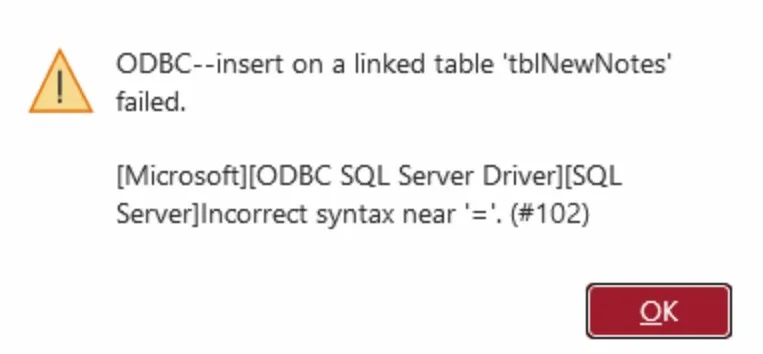
Recently, several of my clients started reporting the same issue: they were suddenly unable to make any changes in their MS Access databases. The error shown was:
ODBC Error – Incorrect Syntax Near '=' (#102)
This wasn’t a coincidence.
From experience, when multiple clients face identical database issues at the same time, it usually points to a Microsoft Office update—and this time was no different. A recent MS Access update introduced a breaking change that affected existing databases.
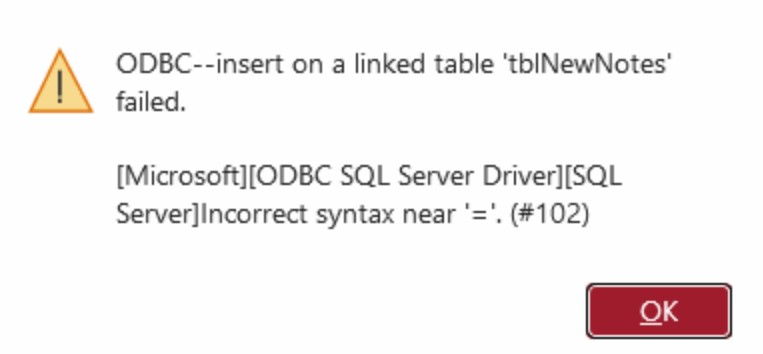
MS Access Error Screenshot
What’s Happening
After the update:
- Forms stopped saving records
- Queries started failing
- Linked tables (ODBC) threw syntax errors
In short, normal operations came to a halt.
For businesses relying on Access daily, even a short disruption is not acceptable.
Well nothing new, i just knew that i will have to downgrade MS access to the last stable update.
and it won't be nice to do remote session with every client to do.
Immediate Solution
The fastest and most reliable fix is to roll back MS Access to a previous stable version.
Waiting for Microsoft to release a patch is not practical when your clients’ operations are blocked.
Scalable Fix (No Remote Sessions Required)
Instead of manually connecting to each client’s system, I created a simple batch script that automates the downgrade process.
Steps:
- Download the file (shared with clients as
.txt) - Rename it to
.bat - Right-click → Run as Administrator
You can also modify the version number inside the script if needed.
This will revert MS Access to a stable version and restore normal functionality.
Why This Approach Works
- No need for remote access to every machine
- Quick execution (under a few minutes)
- Minimal technical involvement from clients
- Immediate business continuity
Final Thoughts
This is not the first time an MS Access update has caused disruptions, and it likely won’t be the last. Having a quick rollback strategy in place is essential when you’re managing multiple client systems.
If you're working with production Access databases, always be cautious with automatic Office updates.
If you enjoy reading this and would like to receive more blog updates directly in your inbox, please subscribe to my blog.
Related fixes
Free · No spam
Keep learning data automation
Field notes on reliable reporting, spreadsheet and database automation, and when to graduate a workflow—written for practitioners, not slide decks. Unsubscribe anytime from any message.
- ✓Be first to read new posts—hands-on lessons on automating workflows, cleaning data, and shipping reports teams trust.
- ✓Implementation detail you can reuse: patterns, tradeoffs, and what to try before you escalate or rebuild.
- ✓No drip courses or promos—just new articles. Unsubscribe in one click from any message.
Opens a quick signup form—name optional.
Discussion
Comments
Share a thought, mention someone with @TheirName, or reply to a thread. Comments are moderated before they appear. Sign in to comment without typing your name and email.